

ZED Box 2 Max Connectivity
Connection Ports
Front panel
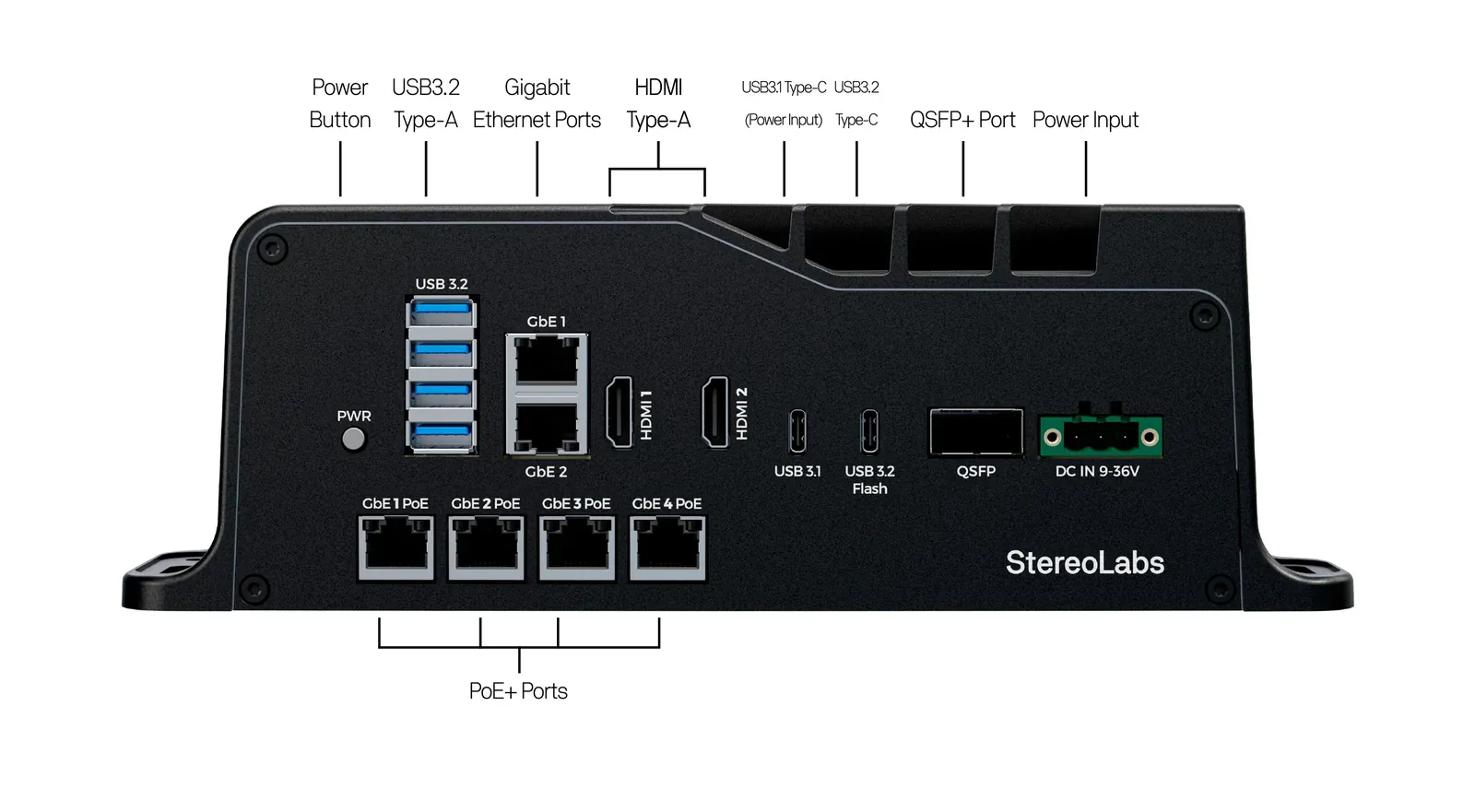
- Power button
- 4x USB 3.2 Type-A ports
- 2x Gigabit Ethernet ports
- 2x HDMI ports
- USB 3.1 Type-C port, with power input
- USB 3.2 Type-C port, used for flashing
- QSFP+ port
- Power input
- 4x PoE+ Gigabit Ethernet ports (optional)
Rear panel
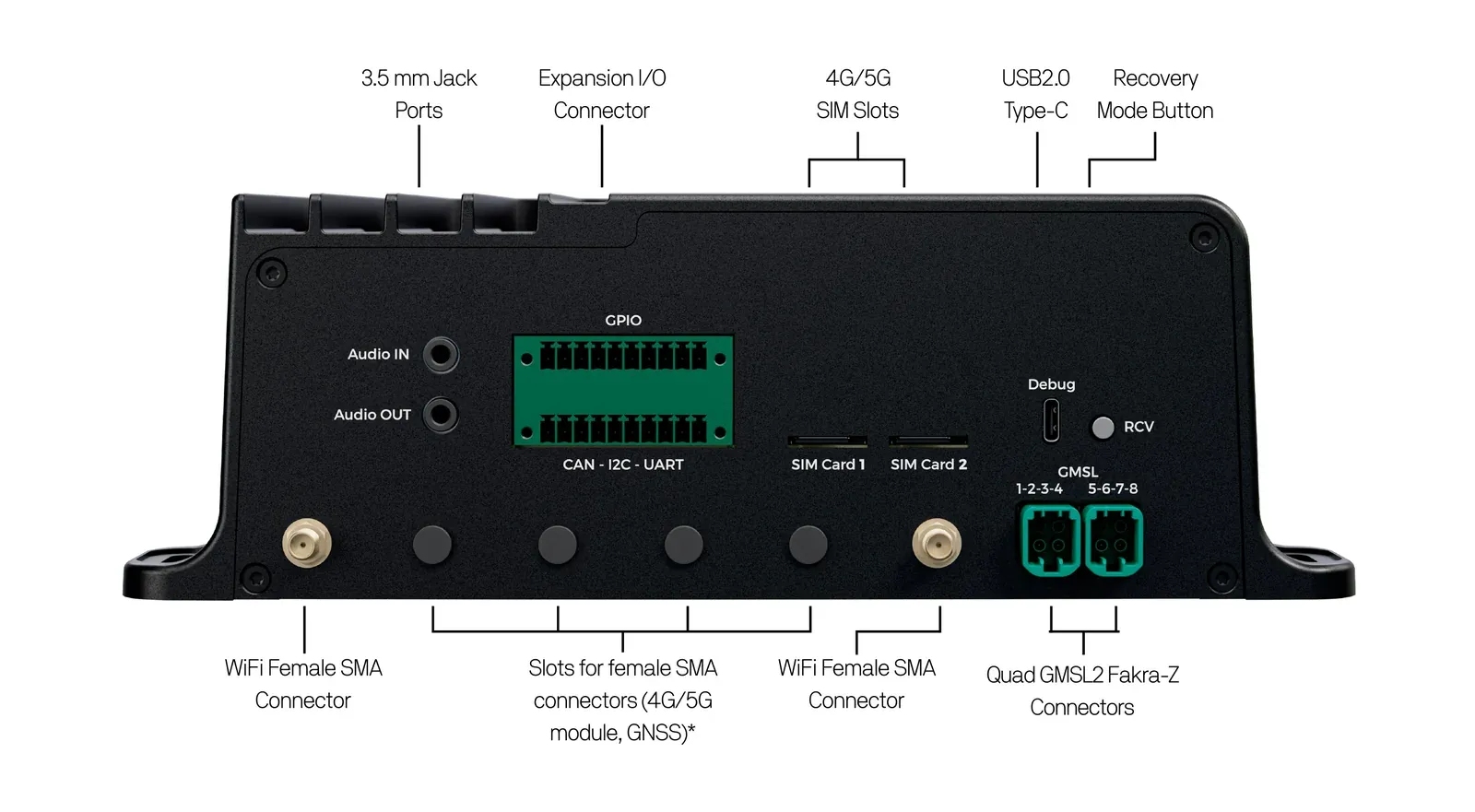
- Audio IN and Audio OUT jacks
- Expansion I/O connector
- 2x SIM card slots
- USB 2.0 Type-C debug port
- Recovery button
- 2x Quad GMSL2 FAKRA-Z connectors
- 2x WiFi antenna connectors, and slots for the SMA connectors of the optional GNSS and 4G/5G modules
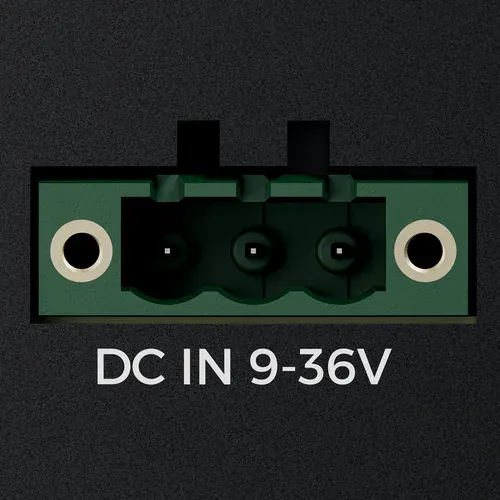
Power input
DC 9V to 36V - 10A max, 250W max for the whole system
 |  |
|---|
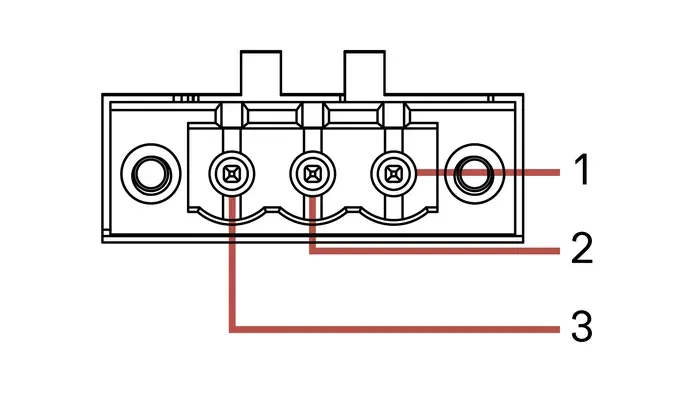
Pinout Power
- #1 - DC IN (9V - 36V)
- #2 - GND
- #3 - ACC (9V - 36V)
Connector type: 3-pin screwable terminal block.
The ACC pin is an ignition input, used to switch the device on and off with the ignition key of a vehicle. It is ignored by default: the ZED Box 2 Max is powered by DC IN alone, and you can leave ACC unconnected.
Please ensure that the input voltage is within the 9V - 36V range and that the polarity is correct before connecting it to the system. The input is protected against transients, reverse polarity, and ESD, but out-of-range voltages may permanently damage the device.
Size your power source for the maximum consumption of your whole setup: the Jetson module in its power mode, the GMSL2 cameras powered by the ZED Box 2 Max, the USB devices, and up to 4x 25W for the devices powered by the optional PoE+ ports.
USB 3.1 Type-C - Power input
The USB 3.1 Type-C connector supports up to 5 Gbps data rate, and accepts a USB Power Delivery input from 9V to 28V, from 40W to 130W. You can use it to power the ZED Box 2 Max from a USB PD power supply or battery instead of the terminal block.
- The USB Type-C power input is not recommended for now: power the ZED Box 2 Max through the DC terminal block.
- Only one power input is active at a time: the first source connected, terminal block or USB Type-C, is used.
- The USB Type-C power input does not support the PoE+ option, nor the 120W and MAXN power modes of the T5000 module.
Ethernet (LAN)
The ZED Box 2 Max comes with two Gigabit Ethernet LAN ports, GbE 1 and GbE 2, supporting 10/100/1000 Base-T with RJ45 connectors.
For additional information regarding the pinout, please refer to the RJ45 Ethernet standards for 10/100/1000 Base-T.
PoE+ Ethernet (LAN) - optional
With the PoE+ option, the four ports GbE 1 PoE to GbE 4 PoE support 10/100/1000 Base-T with RJ45 connectors and provide power over Ethernet to the connected devices according to the IEEE 802.3at (PoE+) standard, up to 25W per port.
The PoE+ ports are powered only when the ZED Box 2 Max is supplied through the DC terminal block.
QSFP+
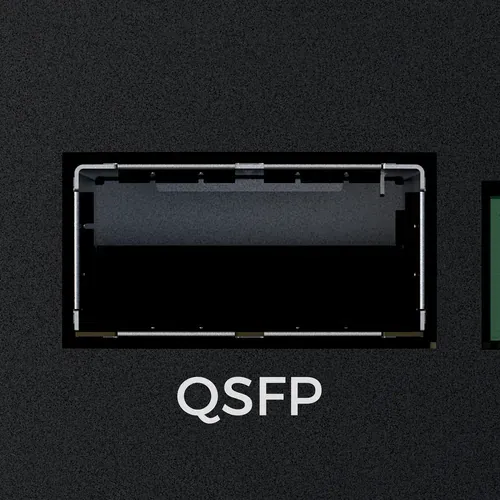
The QSFP+ connector provides a high-speed network interface, split into several 10 GbE links:
The QSFP+ port supports direct-attach copper (DAC) cables only, including breakout cables to connect several 10 GbE devices. Optical transceivers are not supported.
List the network interfaces and their link state with:
Expansion I/O
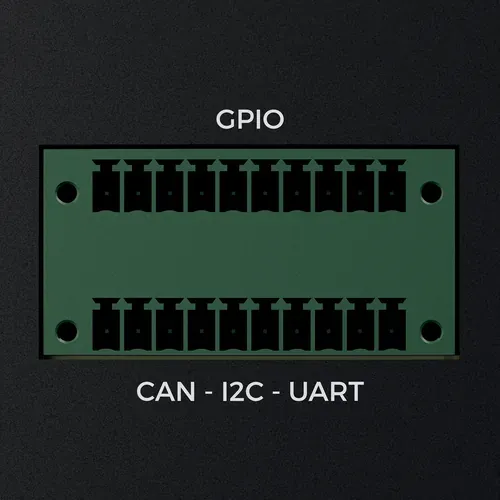
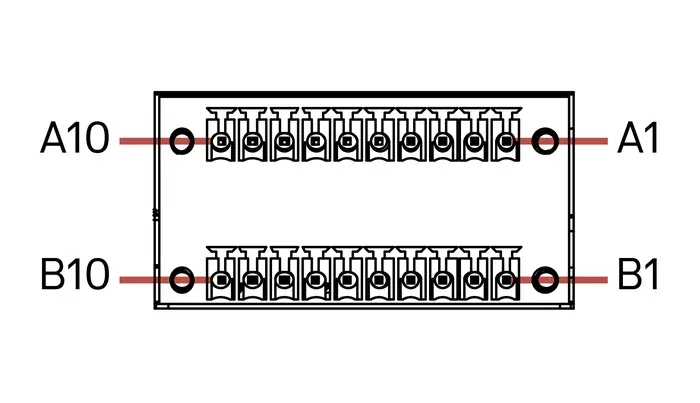
The Expansion I/O connector provides access to the auxiliary interfaces of the ZED Box 2 Max: UART, I2C, four CAN FD buses (T5000 only), and 5V and 3.3V power rails.
 |  |
|---|
The connector is an ME252-35020-1, which mates with a 2x10 Euro-style terminal block.
Pinout Expansion I/O
- The UART and I2C pins are 3.3V signals. Use a level shifter to connect 5V devices.
- The CAN 0 bus is galvanically isolated: use the
ISO_GNDpin (A5) as its ground reference, not theGNDpins.
Damage caused by electrical signals that do not conform to these specifications is not covered by the warranty.
CAN FD
The CAN FD buses are available on the ZED Box 2 Max T5000 only: the Jetson T4000 module does not provide CAN FD controllers.
The CAN transceivers are integrated in the ZED Box 2 Max: connect CANH and CANL directly to the bus. As for any CAN bus, both ends of the bus must be terminated with a 120 Ω resistor.
The CAN buses are exposed by Linux as SocketCAN network interfaces. List them with:
Install the can-utils package to send and receive frames from the command line:
Configure an interface in CAN FD mode, with a nominal bit rate of 500 kbit/s and a data bit rate of 2 Mbit/s, and bring it up. Replace can0 with the name of the interface you want to use, and the bit rates with those of your bus:
For a classic CAN bus, omit the dbitrate and fd parameters.
Dump the frames received on the bus:
Send a classic CAN frame with ID 0x123 and 4 data bytes, then a CAN FD frame with the same ID:
Bring the interface down before changing its configuration:
In your applications, use the standard SocketCAN API, available in C/C++ through Linux sockets and in Python with the python-can library.
UART
The UART is available as /dev/ttyAMA5. Add your user to the dialout group to access it without sudo, then log out and log in again:
I2C
The I2C bus is available as i2c-3. Install the i2c-tools package and scan the bus to list the connected devices:
GMSL2
The ZED Box 2 Max offers two separate Quad FAKRA-Z connectors for GMSL2 cameras, for a total of up to 8 cameras, 4 per connector. The cameras are connected through the provided GMSL2 FAKRA 1-to-4 M-F cables.
The port numbers printed on the rear panel are 1-2-3-4 for the first connector and 5-6-7-8 for the second connector.
The camera setup is described in the Using GMSL guide.
HDMI
The ZED Box 2 Max features two HDMI 2.0 Type-A connectors, HDMI 1 and HDMI 2, to display video with a maximum resolution of 3840×2160 @60Hz.
For additional information regarding the pinout, please refer to the HDMI standard.
USB
- 4x USB 3.2 Type-A: the two upper ports support up to 10 Gbps, and the two lower ports up to 5 Gbps. They are compliant with the requirements of Super Speed (SS), High Speed (HS), Full Speed (FS), and Low Speed (LS).
- 1x USB 3.2 Type-C, labeled
Flash: supports up to 10 Gbps, with usage limitations. It is the port to connect to the host PC to flash a new image on the device (the flashing guide will be available soon). - 1x USB 3.1 Type-C: supports up to 5 Gbps, and the USB Power Delivery input.
For additional information regarding the pinout, please refer to the USB Type-A and Type-C standards.
USB 2.0 Type-C - Debug
The USB 2.0 Type-C connector labeled Debug provides a serial output, through an integrated USB-to-UART bridge, that can be used to access the device through a serial console, even when no display is connected.
Audio
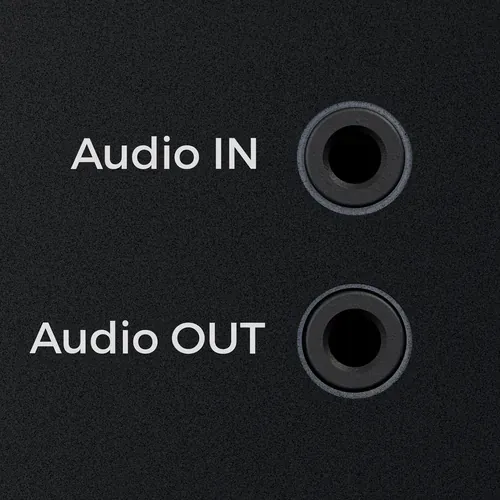
Two 3.5 mm TRS audio jacks provide an analog microphone input (Audio IN) and a line output (Audio OUT), to connect a microphone and speakers or headphones.
List the audio capture and playback devices with:
SIM card slots
The two SIM card slots, SIM Card 1 and SIM Card 2, allow the connection of the ZED Box 2 Max to 4G/LTE and 5G cellular networks with an optional M.2 cellular module. Each slot accepts one standard SIM card.
The 4G/5G module, its SMA connectors, and its antennas are not included. Installing them requires opening the enclosure: contact support@stereolabs.com before doing so.
Buttons
PWR- Power button, on the front panel:- When the device is off, press it to start the device.
- When the device is on, press it to open the power-off dialog. Without any action, the device powers off after 60 seconds.
- When the device is on, hold it for more than 5 seconds to force a power-off. Use it only if the system does not respond: a forced power-off can corrupt the file system.
RCV- Recovery button, on the rear panel: it has no function during normal operation. Hold it while powering on the device to boot it in Force Recovery mode, to flash a new image. The procedure will be described in the flashing guide, available soon.
WiFi
The ZED Box 2 Max integrates a WiFi 6 Intel AX210 module, mounted on an M.2 Key-E 2230 socket. Screw the two provided 2.4/5GHz antennas onto the two female SMA WiFi connectors on the rear panel.
The other SMA slots of the rear panel are reserved for the antennas of the optional GNSS and 4G/5G modules.