

Depth Modes
StereoLabs AI Depth leverages advanced neural networks to generate high-quality depth maps from stereo images, delivering reliable results even in challenging scenarios. Compared to traditional approaches, AI Depth provides superior accuracy in low-texture and low-light environments. This makes it especially well-suited for applications such as robotics, augmented reality (AR), and 3D mapping, where dependable depth perception is critical.
The ZED SDK provides multiple AI-powered depth modes, allowing you to tailor depth sensing to your application’s requirements. Each mode offers a different balance of accuracy, range, and computational speed, so you can optimize for precision, performance, or a mix of both depending on your use case.
Which depth mode should I use?
The three neural modes described below are the ones to choose between in ZED SDK v5. The legacy PERFORMANCE, QUALITY, and ULTRA modes are still available in the API but are deprecated in favor of them (see Legacy depth modes). Two other values of DEPTH_MODE are not depth modes in the same sense: NONE disables depth computation entirely, and CUSTOM (experimental, ZED SDK 5.4 and later) lets you feed the SDK your own disparity or depth estimation (see the custom depth ingestion sample).
The depth mode is not a property of a recording. SVO files store only the raw unrectified images, so a sequence recorded with DEPTH_MODE::NONE can be replayed later with any depth mode, and depth is computed at that moment. See What an SVO File Contains.
Legacy depth modes
PERFORMANCE, QUALITY, and ULTRA are the computer vision depth modes of earlier ZED SDK versions. They are deprecated since ZED SDK 5.0 but still available in the API.
The neural modes are not all new in v5: NEURAL was introduced in ZED SDK 3.7, NEURAL_PLUS in ZED SDK 4.1, and NEURAL_LIGHT in ZED SDK 5.0, which also updated the NEURAL and NEURAL_PLUS models.
There is no one-to-one replacement for each legacy mode. When migrating, pick the neural mode from the table above according to your accuracy and frame rate needs, and validate it on your target platform: even NEURAL_LIGHT has a different resource profile than the legacy modes.
NEURAL
The NEURAL depth mode uses AI-powered disparity estimation to deliver a strong balance of depth accuracy and processing speed. It is ideal for applications that require reliable depth perception without sacrificing real-time performance.
NEURAL is also the only depth mode that supports INT8 inference precision, which trades a small amount of accuracy for faster, lower-memory depth computation. See Depth Precision.
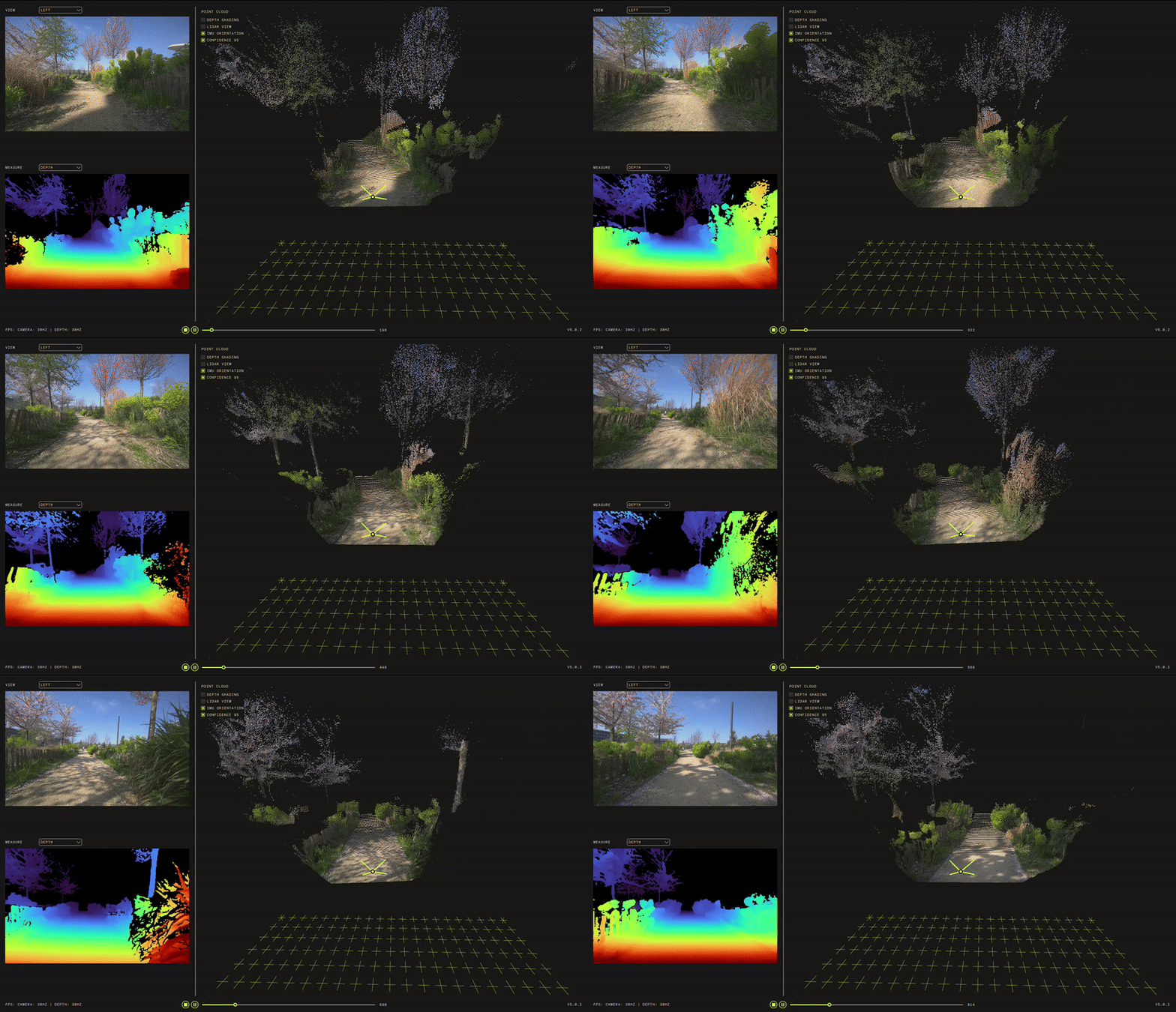
Neural Depth Computational Performance on embedded devices
Orin AGX
Orin NX 16
Nano 4 GB
Nano 8 GB
Orin NX 8
Performance obtained with ZED SDK v5.0.1 RC, ZED X Driver v1.3.0, and ZED X camera using the multicamera code example available on GitHub.
Neural Depth Accuracy (ZED X)
(*) A lower standard deviation indicates more stable and accurate depth estimation, resulting in smoother and more reliable 3D point clouds. Higher deviation can lead to noise and distortion, producing wavy or unstable point clouds.
Enabling the NEURAL depth mode in the API
NEURAL LIGHT
The NEURAL_LIGHT depth mode provides AI-powered disparity estimation optimized for speed and efficiency. It enables real-time depth sensing with lower computational load, making it ideal for multi-camera setups and applications where fast processing is prioritized over maximum depth accuracy.
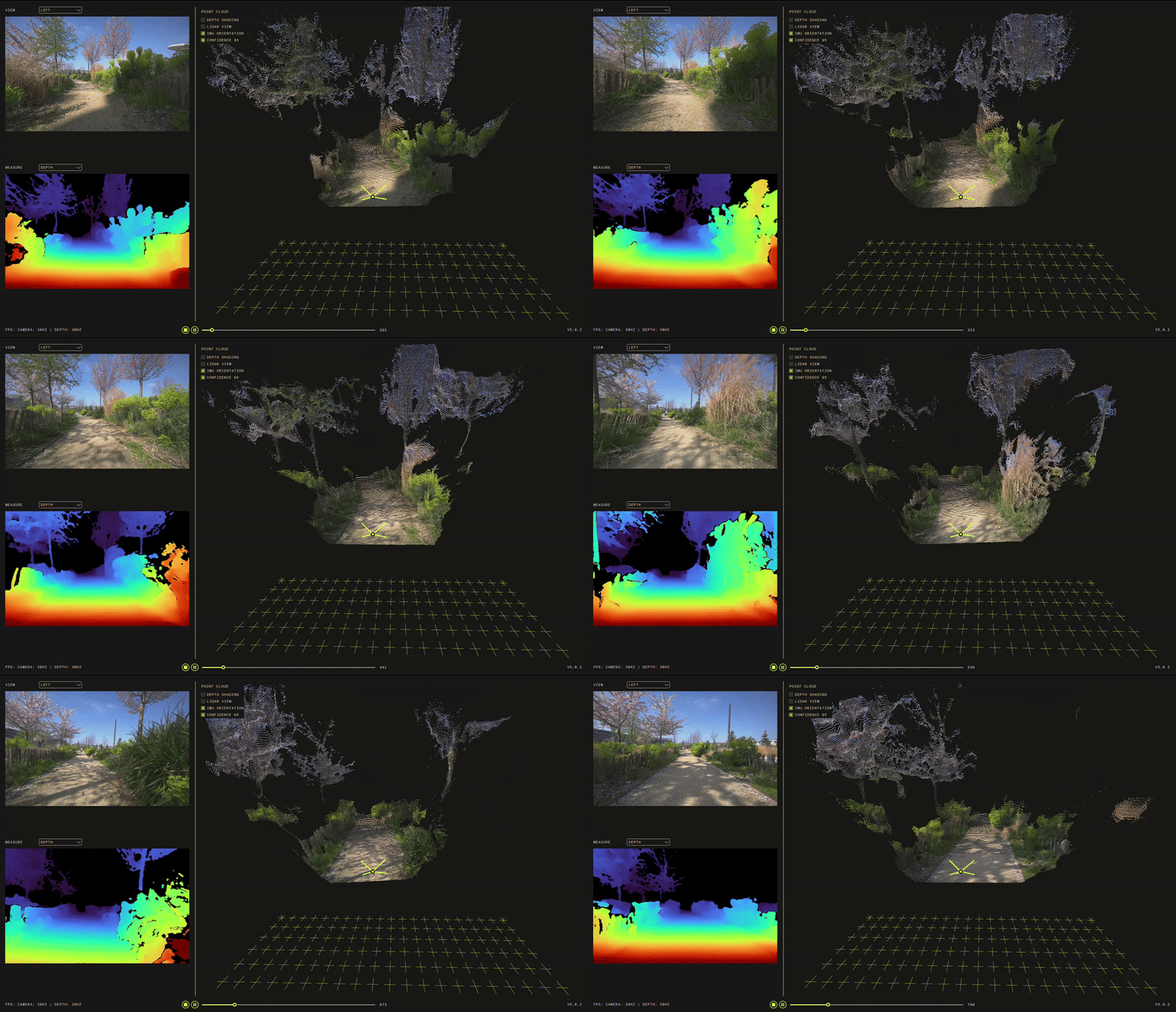
Neural Light Depth Computational Performance on embedded devices
Orin AGX
Orin NX 16
Nano 4 GB
Nano 8 GB
Orin NX 8
Performance obtained with ZED SDK v5.0.1 RC, ZED X Driver v1.3.0, and ZED X camera using the multicamera code example available on GitHub.
Neural Light Depth Accuracy (ZED X)
(*) A lower standard deviation indicates more stable and accurate depth estimation, resulting in smoother and more reliable 3D point clouds. Higher deviation can lead to noise and distortion, producing wavy or unstable point clouds.
Enabling the NEURAL LIGHT depth mode in the API
NEURAL PLUS
The NEURAL_PLUS depth mode provides the highest depth accuracy and detail among all AI-powered modes. It is designed for applications that demand maximum precision and robustness, such as advanced robotics, inspection, and 3D reconstruction. While it requires more computational resources and delivers lower frame rates compared to other modes, NEURAL_PLUS excels in challenging environments and when capturing fine object details is critical.
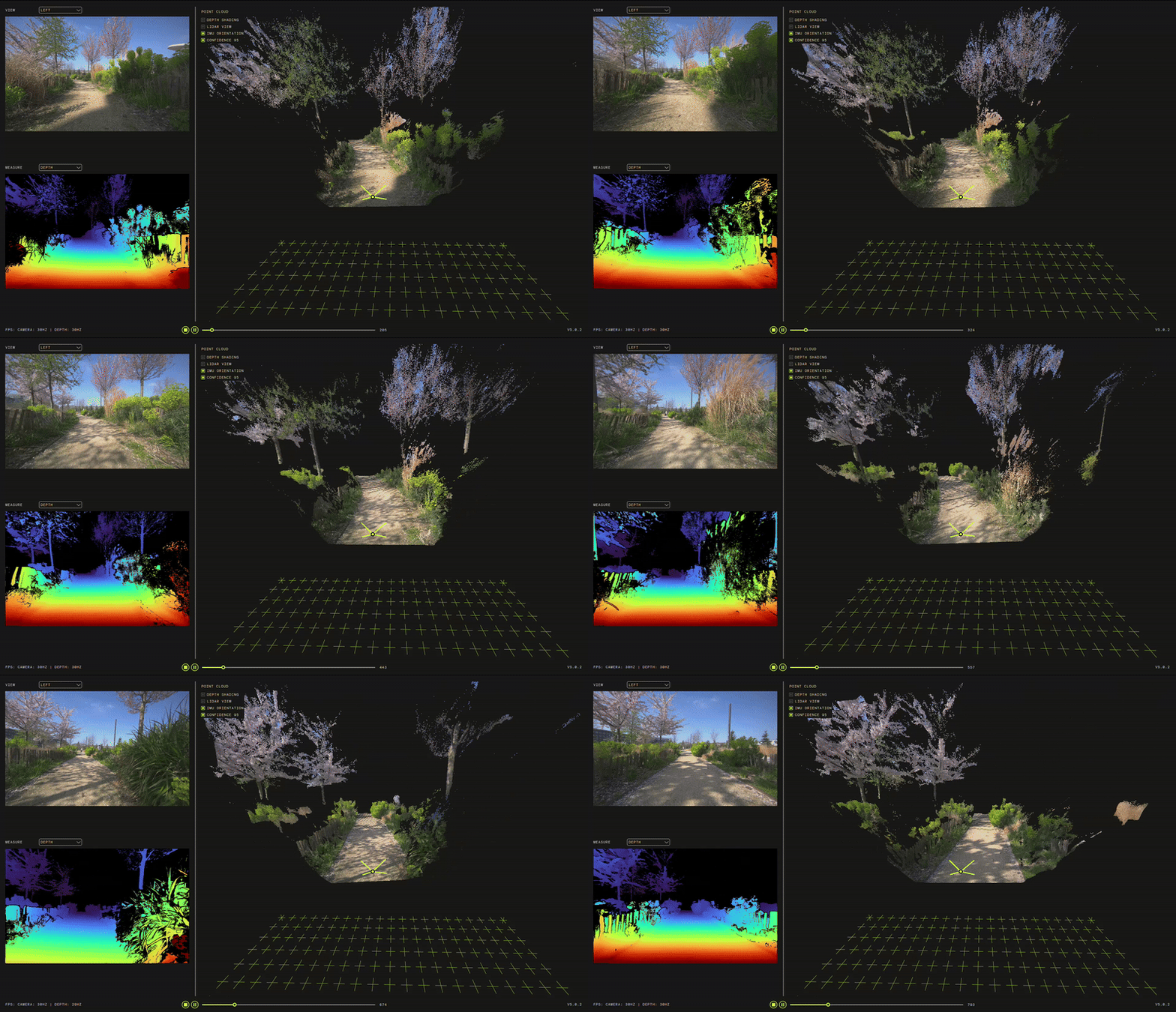
Neural Plus Depth Computational Performance on embedded devices
Orin AGX
Orin NX 16
Nano 4 GB
Nano 8 GB
Orin NX 8
Performance obtained with ZED SDK v5.0.1 RC, ZED X Driver v1.3.0, and ZED X camera using the multicamera code example available on GitHub.
Neural Plus Accuracy (ZED X)
(*) A lower standard deviation indicates more stable and accurate depth estimation, resulting in smoother and more reliable 3D point clouds. Higher deviation can lead to noise and distortion, producing wavy or unstable point clouds.
Enabling the NEURAL PLUS depth mode in the API
Depth Modes Comparison
- The depth range is highly dependent on the camera baseline and optics. A bigger baseline increases the maximum depth range but also raises the minimum working distance, while a smaller baseline does the opposite. Here, tests were conducted with a ZED X (2.2 mm lens) whose stereo baseline is 120 mm.
- Jetson Power Profile: Tests were conducted using MAXN without Super mode.