

Installing the ZED C API
This section explains how to use the ZED SDK in C on Windows and Linux platforms. The C API is a wrapper around the ZED SDK which is written in C++ optimized code.
Download the ZED C-API code available on our GitHub.
Building on Windows
On Windows, building an application with the ZED SDK requires CMake 3.5.0 or higher and Visual Studio 2019 or 2022 (the ZED SDK requires a C++17 compiler since version 5.1). Applications must be compiled for 64-bit.
- Open cmake-gui.
- In “Where is the source code“, enter the path of the project folder where the CMakeLists.txt is located.
- In “Where to build the binaries“, enter the previous path and add: /build.
- Click on [Configure].
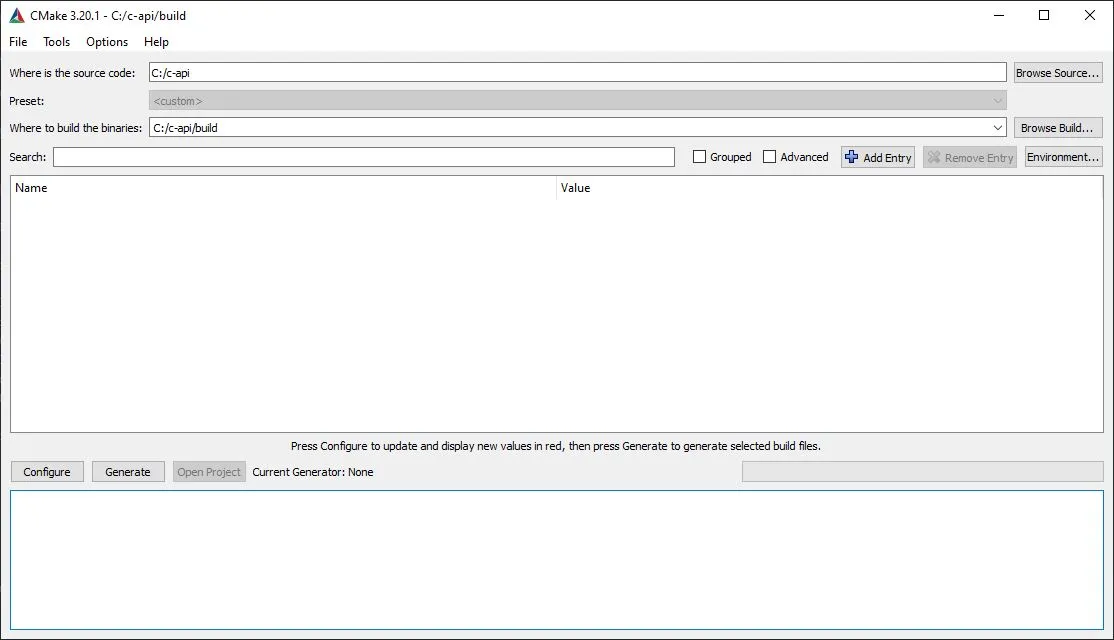
- A dialog window asks you if CMake can create the “build” folder. Say yes.
- Another dialog window will ask you to specify a generator for your project. Choose Visual Studio in Win64 and click on [Finish].
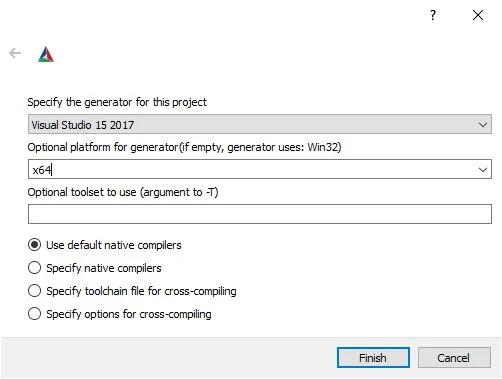
-
CMake may take a few seconds to configure the project.
-
Click on [Generate] to build the Visual Studio project files.
-
CMake has now generated your project in the build directory. You can directly open the solution by clicking on [Open Project] or by closing the cmake-gui window and opening the build folder.
-
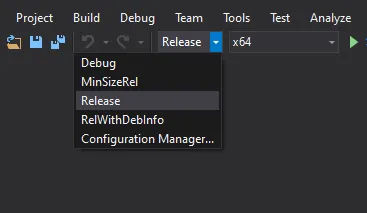
A Visual Studio solution has been generated. Open zed_c_api.sln and set it in
Releasemode.
- To build the ZED C-API, right-click on the sl_zed_c project and click Build.
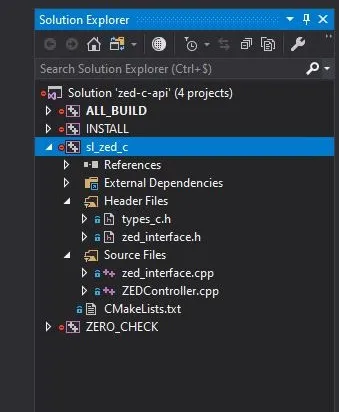
- Build the INSTALL solution.
Building on Linux
Open a terminal in the root directory and execute the following command: