

ZED Box 2 Connectivity
Connection Ports
Front panel
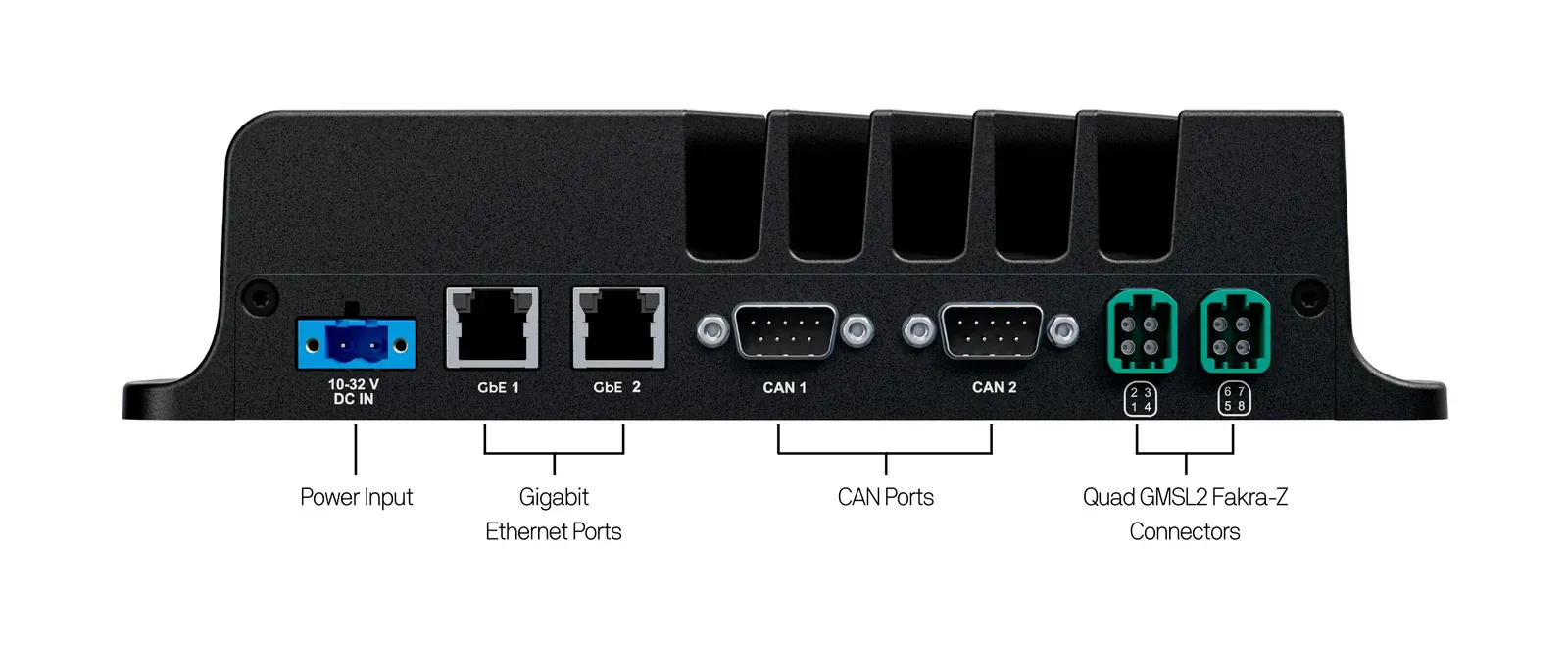
Rear panel
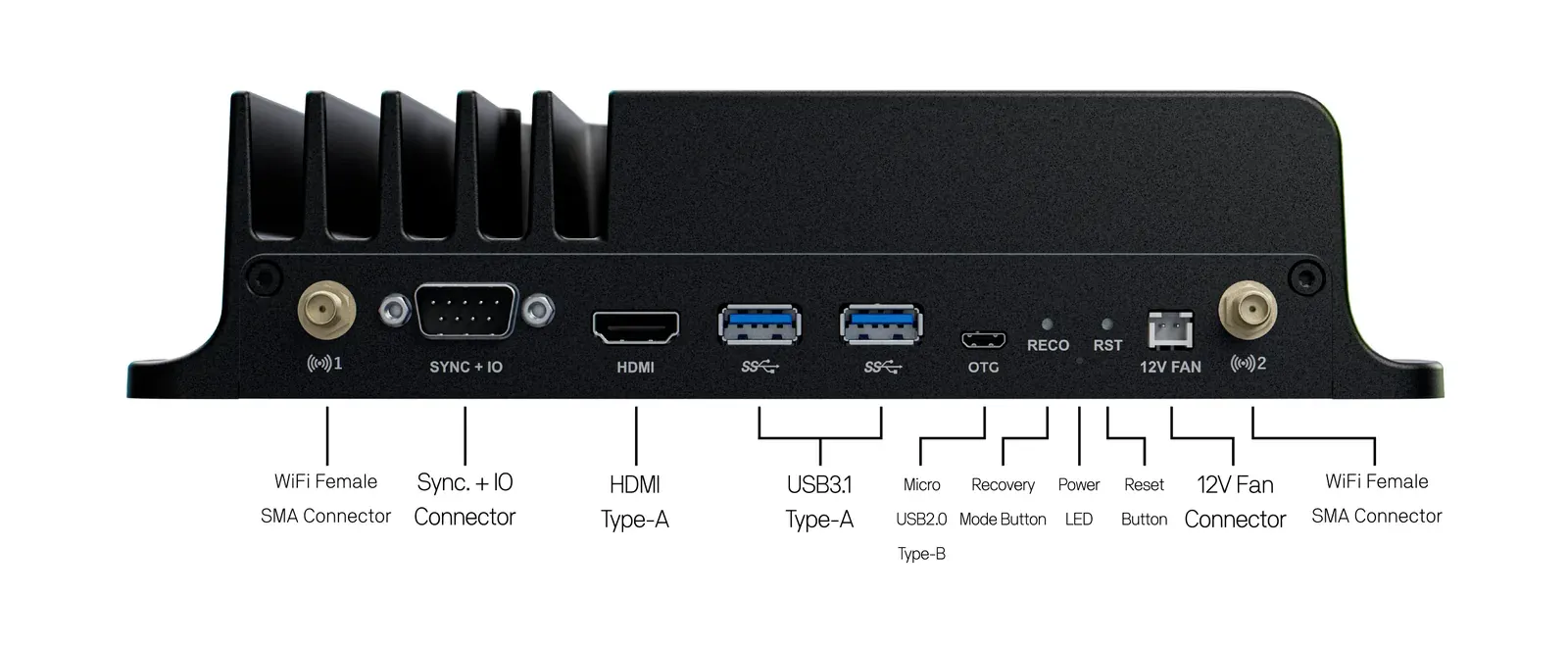
- 2x WiFi antenna connectors
- Sync + IO connector
- HDMI port
- 2x USB 3.1 ports
- Micro USB OTG port
- Recovery button, power LED, and Reset button
- 12V fan connector
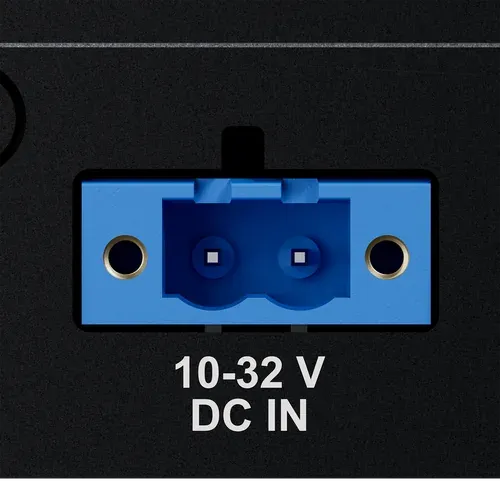
Power input
DC 10V to 32V - 80W max (55W typical)
 |  |
|---|
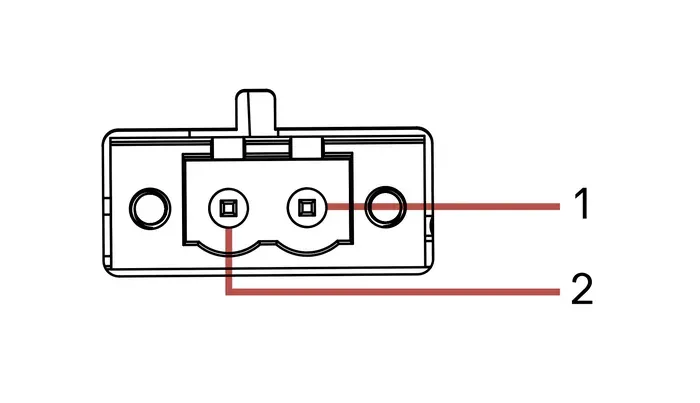
Pinout Power
- #1 - DC IN (10V - 32V)
- #2 - GND
Connector type: 2-pin screwable terminal block, TBP01R1W-508-02BE.
Please ensure that the input voltage is within the 10V - 32V range and that the polarity is correct before connecting it to the system. Out-of-range voltages may permanently damage the device.
Size your power source for the maximum consumption of your whole setup: the Jetson module in its power mode, the GMSL2 cameras powered by the ZED Box 2, the USB devices, and the optional fan.
Ethernet (LAN)
The ZED Box 2 comes with two Gigabit Ethernet LAN ports, GbE 1 and GbE 2, supporting 10/100/1000 Base-T with RJ45 connectors.
The two ports are independent network interfaces, each with its own MAC address, so they get two different IP addresses:
Use GbE 2 when you need hardware timestamping, for example to synchronize the system clocks of several devices with PTP (IEEE 1588), as described in the multi-camera guide.
For additional information regarding the pinout, please refer to the RJ45 Ethernet standards for 10/100/1000 Base-T.
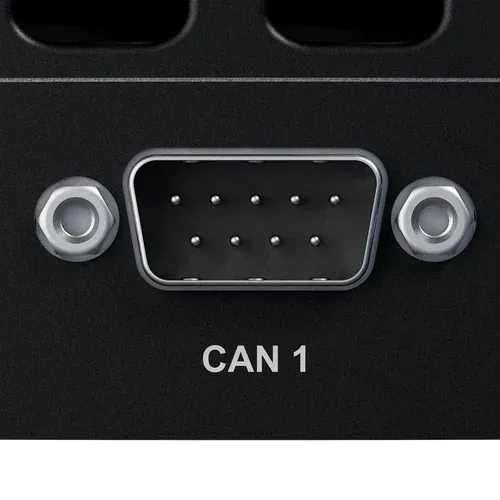
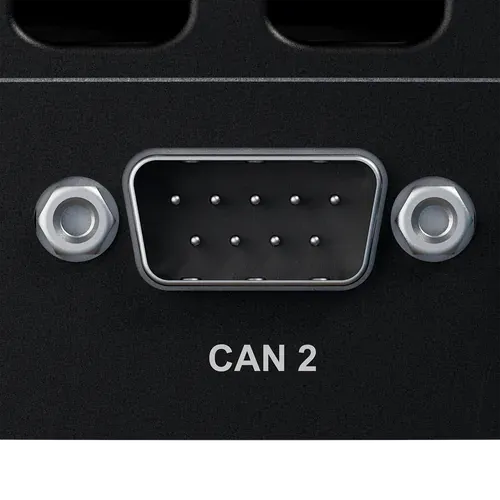
CAN 1 and CAN 2
The CAN 1 and CAN 2 connectors are CAN bus interfaces used to communicate with external devices and sensors, such as motor controllers, battery management systems, or vehicle ECUs.
 |  |  |
|---|
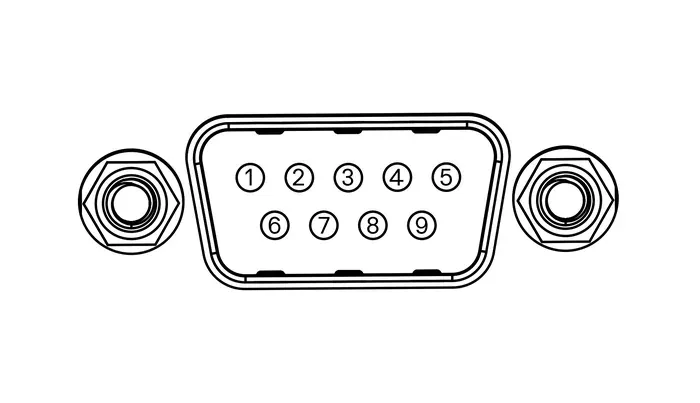
Each connector is an A-DS 09 A/KG-T2S male DB9 that mates with a standard 9-pin D-Sub female connector.
Pinout CAN
- #2 - CAN_L
- #3, #5 - Shield / GND
- #6 - GND
- #7 - CAN_H
- #1, #4, #8, #9 - Not connected
The pinout follows the CiA 303-1 convention used by most CAN DB9 cables and adapters.
The CAN transceivers are integrated in the ZED Box 2: connect CAN_H and CAN_L directly to the bus. As for any CAN bus, both ends of the bus must be terminated with a 120 Ω resistor.
Use the CAN interfaces
The CAN ports are exposed by Linux as SocketCAN network interfaces. List them with:
Install the can-utils package to send and receive frames from the command line:
Configure the bit rate of an interface and bring it up. Replace can0 with the name of the interface you want to use, and 500000 with the bit rate of your bus:
Dump the frames received on the bus:
Send a frame with ID 0x123 and 4 data bytes:
Bring the interface down before changing its configuration:
In your applications, use the standard SocketCAN API, available in C/C++ through Linux sockets and in Python with the python-can library.
Sync and IO
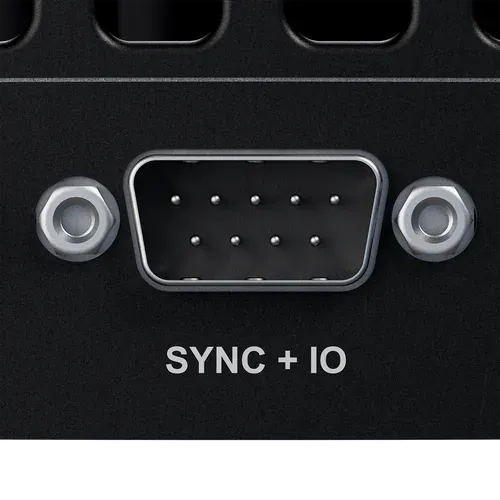
The SYNC + IO connector is used as a frame-sync trigger input or output to synchronize image acquisition on multiple GMSL2 cameras connected to different ZED Box 2 units. It also provides a configurable general-purpose I/O pin.
 | |
|---|
The connector is an A-DS 09 A/KG-T2S male DB9 that mates with a standard 9-pin D-Sub female connector.
Pinout Sync and IO
- #1 - DESER_1_TRIGOUT (1.8V Max.)
- #2 - DESER_2_TRIGOUT / TRIGIN (1.8V Max.)
- #4 - GPIO_11_C (3.3V Max.)
- #3, #5, #6, #7, #8, #9 - Shield / GND
- Pins #1 and #2 are 1.8V signals. Wrong usage or out-of-range voltage may permanently damage the port and the Jetson module. Use a level shifter to connect 3.3V or 5V devices.
- Pin #4 is a 3.3V signal. Do not apply a higher voltage.
Damage caused by electrical signals that do not conform to these specifications is not covered by the warranty.
Synchronization modes
The behavior of the trigger pins depends on the synchronization mode, set with the sync_mode parameter of the ZED X daemon:
The Using GMSL guide explains how to select the mode and how to synchronize several devices.
GPIO_11_C
Pin #4 is a general-purpose I/O (GPIO) pin that can be configured as an input or an output, for example to read a switch or to drive an external signal.
The pin is wired directly to a GPIO of the Jetson Orin NX module: its electrical characteristics are those of the Jetson module GPIOs, described in the NVIDIA Jetson Orin NX module datasheet, available in the NVIDIA Jetson Download Center.
You can control it with the libgpiod command-line tools and libraries, as described for the ZED Box Mini in Using the GPIOs. List the GPIO lines of the device with:
When using the pin as an input, connect a pull-up or pull-down resistor to ensure reliable signal detection.
FAN
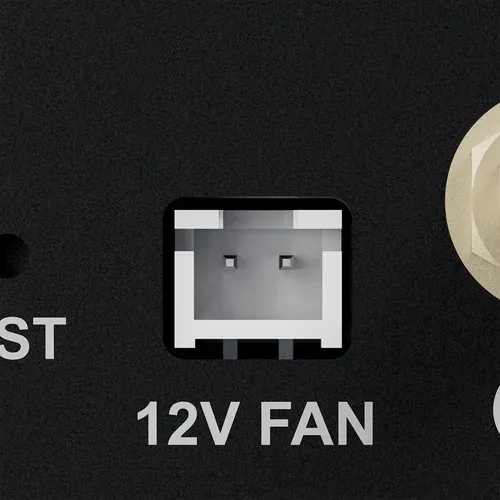
The ZED Box 2 includes a dedicated 12V-compatible fan connector to support active cooling solutions. The optional fan kit is described in the installation guide.
 |  |
|---|
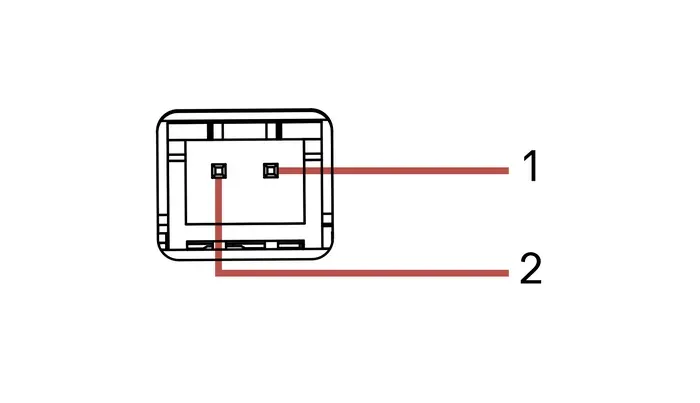
Pinout FAN
- #1 - GND
- #2 - FAN_12V
If you use a third-party fan, ensure that it operates at 12V and respect the polarity of the connector.
GMSL2
The ZED Box 2 offers two separate Quad FAKRA-Z connectors for GMSL2 cameras, for a total of up to 8 cameras, 4 per connector. The cameras are connected through GMSL2 FAKRA 1-to-4 M-F cables.
The port numbers printed on the front panel are 1 to 4 for the first connector and 5 to 8 for the second connector.
The supported camera combinations are described in the Using GMSL guide.
HDMI
The ZED Box 2 features an HDMI 2.1 Type-A connector to display video with a maximum resolution of 3840×2160 @60Hz.
For additional information regarding the pinout, please refer to the HDMI standard.
USB 3.1
The two USB 3.1 Gen 1 Type-A connectors support up to 5Gbps data rate. They are compliant with the requirements of Super Speed (SS), High Speed (HS), Full Speed (FS), and Low Speed (LS).
For additional information regarding the pinout, please refer to the USB Type-A standard.
Micro-USB 2.0 - OTG
The ZED Box 2 features a Micro USB 2.0 Type-B connector, labeled OTG, that can be used for OTG functions or paired with the Recovery button to flash a new image on the device (the flashing guide will be available soon). In non-recovery mode, this port provides a serial output that can be used to access the device through a serial console.
For additional information regarding the pinout, please refer to the Micro USB 2.0 Type-B standard.
Buttons and LED
RECO- Recovery button: used with the Reset button to boot the device in Force Recovery mode, to flash a new image. The procedure will be described in the flashing guide, available soon.- Power LED: on when the device is powered and running. It stays off in Force Recovery mode.
RST- Reset button: restarts the device.
The buttons are recessed: use a pin to push them.
WiFi
The ZED Box 2 integrates a WiFi 6 Intel AX210 module, mounted on an M.2 Key-E 2230 socket. Screw the two provided 2.4/5GHz antennas onto the female SMA connectors marked 1 and 2 on the rear panel.