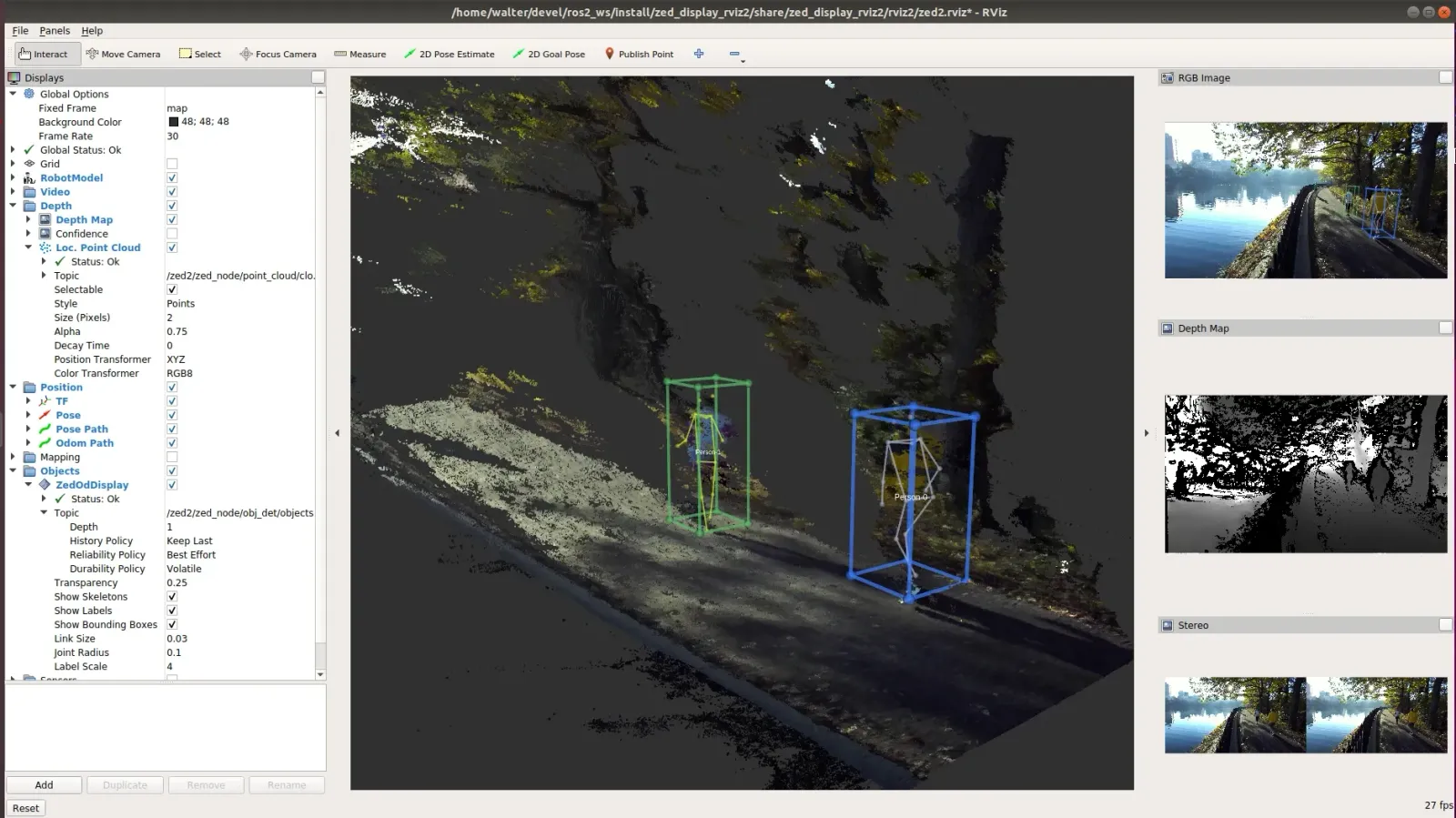
Body Tracking with ROS 2
The ROS 2 wrapper offers full support for the Body Tracking module of the ZED SDK.
The Body Tracking module can be configured to use one of the available detection models:
The Body Tracking module can be configured to use one of the available body formats:
Starting from ZED SDK 5.5 the module can also be configured to select the network generation with the body_tracking.model_gen parameter:
Only BODY_18 and BODY_34 have a GEN_2 network: with BODY_38 the ZED SDK falls back to GEN_1.
Since v5.5.0 of the ROS 2 Wrapper the default body format is BODY_34 instead of BODY_38, and body_tracking.enable_body_fitting defaults to true, so that the default configuration actually runs GEN_2. Skeletons published on ~/body_trk/skeletons now carry 34 keypoints instead of 38: set body_format back to BODY_38 to keep the previous topology, at the cost of running GEN_1.
The result of the detection is published using a custom message of type zed_msgs/ObjectsStamped defined in the package zed_msgs.
Enable Body Tracking
Body Tracking can be started automatically when the ZED Wrapper node starts by setting the parameter body_tracking.bt_enabled to true in the file common_stereo.yaml.
It is also possible to start the Body Tracking processing manually by calling the service ~/enable_body_trk with the parameter True.
In both cases, the Body Tracking processing can be stopped by calling the service ~/enable_body_trk with the parameter False.
See the services documentation for more info.
Body Tracking results in RViz 2
To visualize the results of the Body Tracking processing in RViz 2, the ZedOdDisplay plugin is required. The plugin is available in the zed-ros2-examples GitHub repository and can be installed following the online instructions.
The source code of the plugin is a valid example of how to process the data of the topics of type zed_msgs/ObjectsStamped.
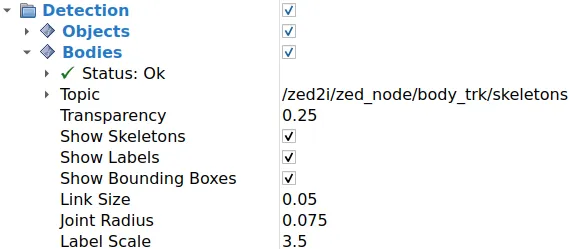
Parameters:
Topic: Selects the body tracking topic to visualize from the list of available topics in the combo box.Depth: The depth of the incoming message queue.History policy: Set the QoS history policy.Keep Lastis suggested for performance and compatibility.Reliability Policy: Set the QoS reliability policy.Best Effortis suggested for performance and compatibility.Durability Policy: Set the QoS durability policy.Volatileis suggested for compatibility.Transparency: the transparency level of the structures composing the detected bodies.Show skeleton: enable/disable the visualization of the skeleton of the detected persons.Show Labels: enable/disable the visualization of the label.Show Bounding Boxes: enable/disable the visualization of the bounding boxes of the detected bodies.Link Size: the size of the bounding boxes’ corner lines and skeleton link lines.Joint Radius: the radius of the spheres placed on the corners of the bounding boxes and on the skeleton joint points.Label Scale: the scale of the label of the bodies.